What a Secure Workday Looks Like - Step by Step

A good security strategy shouldn't slow you down.
When people hear "cybersecurity best practices," they often imagine extra steps or constant pop-ups that interrupt their day. That being said, the most effective security strategies are actually the ones you barely notice because they are built into the workflow of the day, not layered awkwardly on top of it.
A secure workday is not about doing more. It is about doing things smarter.
Below is what a secure workday looks like in practice. These are small, natural moments throughout the day that quietly reduce risk, protect data, and keep work moving without adding friction.

1. Starting Your Workday
Every workday starts before the first email is opened or the first meeting begins. Security starts here too, often in ways that feel routine but play a critical role in protecting both people and systems.
Entering the Workplace Securely
Whether you are arriving at an office, a shared workspace, or a secured facility, access control is the first layer of protection. Badge systems, mobile credentials, or some form of identity verification ensures that only authorized individuals can enter specific areas.
Modern access control systems do more than unlock doors. They create visibility into who is entering, when they are entering, and where access is allowed. This helps prevent unauthorized entry, tailgating, and accidental exposure to sensitive areas.
AI-powered surveillance cameras add another layer of intelligence. Unlike traditional cameras that simply record footage, modern systems can detect unusual behavior, identify patterns, and alert teams to potential issues in real time. This allows organizations to respond faster to safety concerns, security incidents, or operational anomalies without relying on constant manual monitoring.
When physical access is managed intentionally, it reduces risk before digital systems are even touched.
Signing In Securely (Without Slowing Down)
Once you settle in, the next step is signing in.
In a secure environment, this moment feels ordinary. You sit down, sign in, and get to work. Over time, you barely notice yourself tapping your FIDO security key or using any secure sign-in method anymore. Ever since the company phased out passwords, signing in has actually become simpler while being more secure.
Multi-factor authentication builds on this concept by requiring proof of identity from multiple categories:
- Type 1 – Something You Know – includes passwords, PINs, combinations, code words, or secret handshakes. Anything that you can remember and then type, say, do, perform, or otherwise recall when needed falls into this category.
- Type 2 – Something You Have – includes all items that are physical objects, such as keys, smart phones, smart cards, USB drives, and token devices. (A token device produces a time-based PIN or can compute a response from a challenge number issued by the server)
- Type 3 – Something You Are – includes any part of the human body that can be offered for verification, such as fingerprints, palm scanning, facial recognition, retina scans, iris scans, and voice verification. (Source)
Passwordless authentication using FIDO2 keys replaces something you know with something you have. Instead of remembering complex passwords that can be stolen, reused, or phished, authentication is tied to a physical device that never shares secrets with a server. Even if an attacker tricks a user or steals credentials from another breach, those credentials cannot be reused.
Without MFA or passwordless authentication, a stolen password can mean immediate access to email, files, and internal systems. With it in place, that same stolen information becomes largely useless. Even if an attacker manages to steal a password through phishing or a data breach, they still cannot access the account without that second factor.
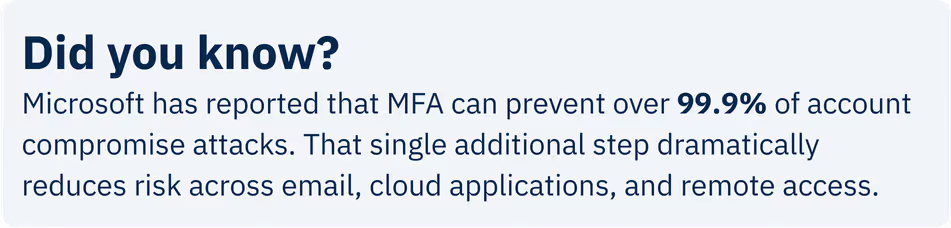
When modern authentication is applied consistently, it removes one of the most common entry points attackers rely on, while making the login experience smoother for employees.
2. Checking Email and Messages Safely
Once signed in, most people turn to email and/or text channels like a Teams chat. This is where the rhythm of the day begins.
Email and messaging tools are also one of the most common ways attackers attempt to gain access. Phishing emails are designed to look routine, blend into normal workflows, and prompt quick action before users have time to question them. A secure environment reduces reliance on human judgment alone. Email security tools filter spam, scan links, and analyze attachments before messages ever reach the inbox. This removes many threats before employees even see them.
Security awareness training reinforces these technical controls. Instead of focusing only on phishing, modern training helps employees understand how social engineering works more broadly, including suspicious requests, unexpected attachments, and unusual login prompts.
Phishing simulations play an important role here. By testing employees with safe, simulated attacks, organizations gain a baseline understanding of risk. Over time, repeated testing and training help measure improvement, identify gaps, and continuously reduce the likelihood of a real incident succeeding.
Without training, employees may unknowingly hand over credentials or approve fraudulent requests. With it, they are more likely to pause, report suspicious activity, and stop an attack early.
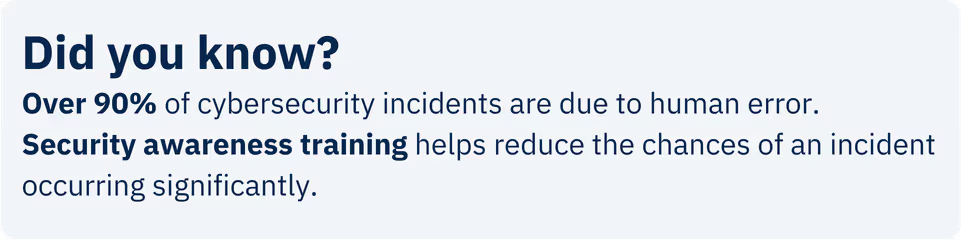
Organizations that combine email security tools with ongoing phishing training experience fewer successful phishing incidents and faster response times when attempts do occur. Over time, this creates a cyber-aware culture where security becomes part of everyday decision-making rather than a constant source of anxiety.
3. Working from Anywhere (Office, Home, or Café)
Work doesn’t stay in one place anymore. Maybe you're working from home today or responding to an email at a café. Maybe it's not you that's remote, you're communicating with a co-worker who's across the country... the workday now moves with you instead of being tied to a single network, which means organizations can no longer rely on the idea that everything inside an office network is automatically trusted.
Modern security takes a layered approach that verifies every connection, every time.
Secure VPNs combined with Zero Trust Network Access help make this possible. Instead of granting broad network access, Zero Trust verifies the user’s identity, device health, and context before allowing access to specific applications. Even if a connection is intercepted or a device is compromised, access remains limited.
These checks typically happen in the background. Most users never notice them, but they prevent unsecured networks or risky devices from becoming open doors.
Without this layered protection, a single compromised device or public Wi-Fi connection can expose large portions of the environment. With it, access is tightly scoped, continuously evaluated, and adjusted in real time. This allows organizations to support flexible work without sacrificing visibility or control.
4. Collaborating Without Workarounds
As the day unfolds, collaboration ramps up. Files are shared, meetings stack up, and conversations stretch across teams, departments, and time zones. Collaboration is essential, but it is also a common source of accidental data exposure.
Platforms like Microsoft Teams, SharePoint, and OneDrive are designed to centralize collaboration. Files live in shared locations instead of being copied and emailed repeatedly. Permissions determine who can view, edit, or share content, and those permissions can be changed instantly.
When collaboration is not centralized, sensitive files often spread across inboxes and personal storage, making it difficult to control access or remove it later.
A secure collaboration flow typically looks like this:
- Conversations and meetings happen in Teams
- Files are stored in SharePoint or OneDrive
- Access is managed centrally and follows the user’s role
Many data exposure incidents are caused by files being shared too broadly or left accessible after they are no longer needed. When collaboration tools are configured intentionally, teams can work quickly while maintaining control over where data lives and who can access it.
5. Devices That Protect Themselves
Behind every task is a device doing the heavy lifting. Most of the time, people expect their laptop or phone to just work, without needing to think about what’s happening in the background. The problem is every laptop, desktop, and mobile device represents a potential entry point.
In unmanaged environments, devices may miss updates, run outdated software, or lack consistent protection. This creates gaps attackers can exploit, often without the user realizing anything is wrong.
In managed environments, devices are monitored continuously. Updates are deployed automatically, security settings are enforced consistently, and threats are detected and contained quickly. If a device is lost or stolen, it can be locked or wiped remotely to prevent data exposure.
This level of oversight typically requires a dedicated IT partner with the tools and processes to manage devices at scale.
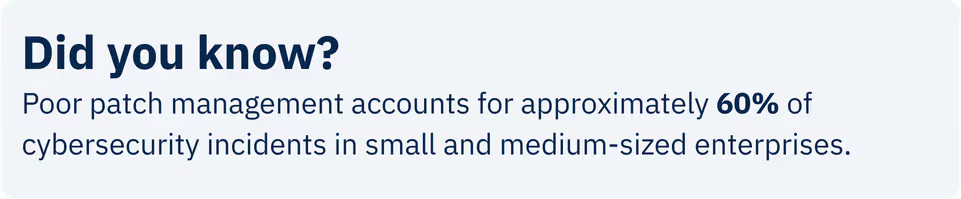
Devices that fall behind on updates are significantly more likely to be compromised than those managed through centralized policies. By handling device security proactively, organizations reduce risk while allowing employees to stay focused on their work.
6. Ending the Day the Right Way
As work winds down, attention naturally shifts to everything waiting outside of it. That transition is another important moment where small, automatic safeguards make a big difference.
Unlocked screens, active sessions, and unattended devices create opportunities for unauthorized access, especially in shared or remote environments. Automatic screen locks prevent sensitive information from being viewed. Session timeouts close applications before someone else can reuse an open session. Background backups ensure work completed during the day can be recovered if something goes wrong overnight.
Without these controls, small oversights can turn into larger incidents, especially in shared or remote environments.
Simple measures like screen locks and session timeouts significantly reduce the risk of accidental or unauthorized access. These automated safeguards help close common gaps and protect systems even when no one is actively using them.
How StoredTech Supports a Secure Workday
A secure workday does not happen by accident. It is the result of the right design, tools, and policies that align with how people actually work.
StoredTech helps organizations bring all of these pieces together by:
The goal is not to add more tools, but to make sure the right tools work together quietly in the background.
A Secure Day Can Feel Normal
The strongest security strategies do not interrupt the workday. They blend into it.
When technology is aligned with how people actually work, security becomes something employees benefit from rather than something they push against.
That is where the right technology partner makes the difference, helping organizations design security that supports productivity while quietly reducing risk.
Want to see what a secure workday could look like for your organization?
Let’s talk about building security that works in the background so your team can focus on what they do best.
Latest Technology Trends and Strategies
Insights for leaders who want results.
.png)

Keep Your Business Running with 24/7 IT Support
Get reliability, security, and peace of mind from a partner that picks up every time. Fill out a quick form and get in touch with us today!